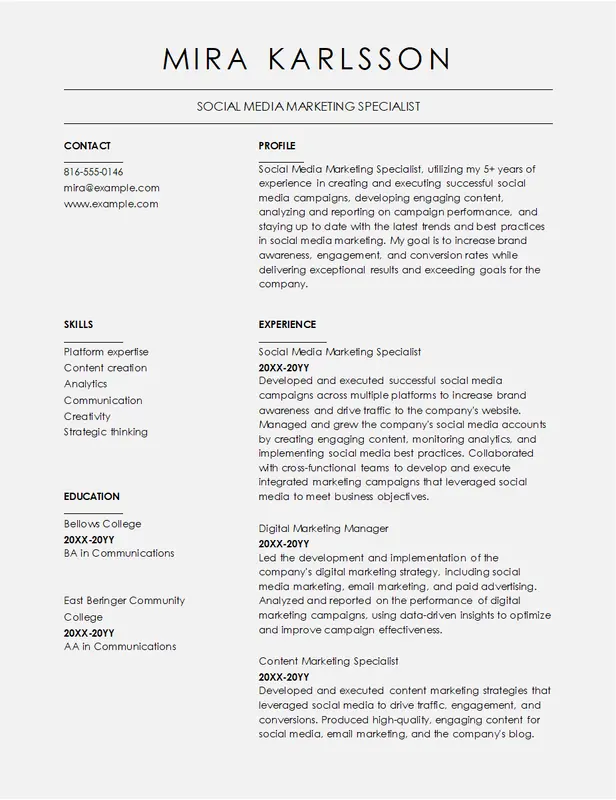
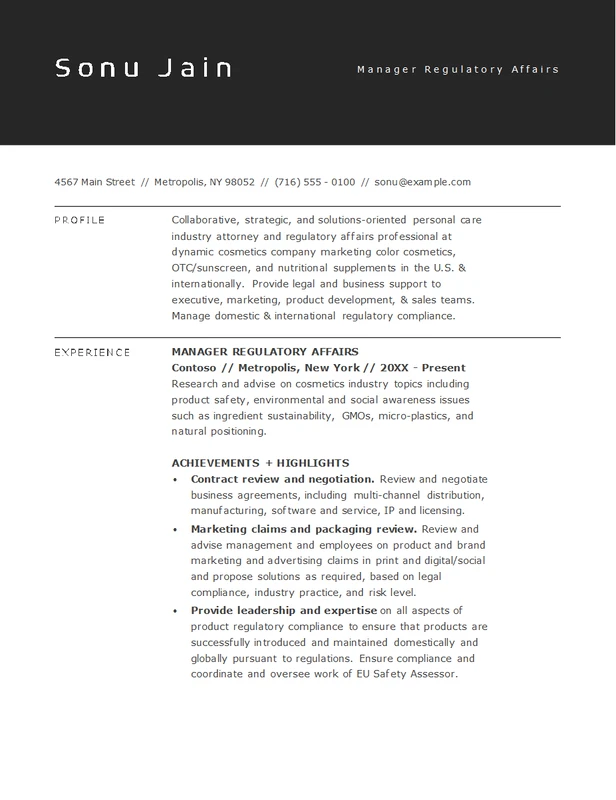
Bold Attorney Legal Professionals CV Template – ATS-Friendly Resume

Perfect for legal professionals, this bold attorney CV template is fully customizable and ATS-friendly. Download it instantly in Word or PDF to highlight your expertise and stand out in your job applications.
Instant PDF & Word Downloads

Get your CV ready for submission instantly. 
Download your CV in both PDF and Word formats instantly with just one click. 

The Bold Attorney Resume template is designed for legal professionals seeking to make a confident impression with a resume that showcases their expertise and achievements. With bold headers and a professional layout, this resume helps convey your experience in litigation, legal research, client relations, and more. The template is perfect for attorneys, legal advisors, and other legal professionals who need to highlight their courtroom successes and industry knowledge effectively.

This resume includes sections for a professional summary, work history, key legal skills, certifications, and notable cases, giving a comprehensive overview of your legal background. The bold design elements emphasize critical areas, ensuring hiring managers can easily identify your qualifications and experience. Whether you’re applying for roles in law firms, corporate legal departments, or government positions, this resume helps present your legal knowledge in an impactful way.

Customization Tips:

    1. Highlight Certifications: Include relevant legal certifications, such as bar admissions, specialized legal training, or courses like mediation to strengthen your credentials.
    1. Emphasize Case Successes: Use bullet points to highlight significant cases or achievements, such as "successfully defended a client in a high-profile corporate lawsuit" or "negotiated a settlement saving $1M."
    1. Professional Summary: Write a concise summary that captures your legal expertise, focusing on areas like litigation, contract law, or corporate law.
    1. Tailor Skills Section: Include key skills such as "legal research," "contract negotiation," and "litigation strategy" to align with job requirements.
    1. Use Bold Headers Effectively: The bold headings are designed to emphasize each section, making it easy for hiring managers to navigate and assess your qualifications at a glance.

Template Features:

  • ATS-Friendly CV Template Design: This CV template is optimized for Applicant Tracking Systems (ATS), ensuring your resume passes initial screening tools used by recruiters.
  • Customizable Resume Layout: Easily edit this resume in Microsoft Word or Google Docs. You can customize text, fonts, colors, and sections to fit your unique career needs.
  • Professional and Modern Resume Format: Designed by industry experts, this CV template balances modern design elements with professionalism, making it ideal for any career path.
  • Multiple File Formats: Download the CV template in either .docx or .pdf formats to suit your specific job application needs.
  • Built-in Content Guidance: Includes prompts and suggestions throughout the CV template to help you quickly fill in your professional experience and skills.
  • Printer-Friendly Resume: This CV template is designed to look polished both on-screen and in print, giving a great impression in both digital and physical formats.

How To Use Template:

  1. Download the CV Template: Select your preferred format (.docx or .pdf) and download it instantly.
  2. Open and Edit Your Resume: Use Microsoft Word or Google Docs to open the file. Replace the placeholder content with your details—such as name, contact information, job history, and education.
  3. Customize the Design: Tailor the colors, fonts, and sections to reflect your personal branding or industry requirements. A unique, customized resume helps you stand out from other job applicants.
  4. Save Your Resume in PDF Format: Once you've completed your edits, save the CV as a .pdf file for a professional, polished look that's ready to be shared.
  5. Proofread Your Resume: Double-check your resume for any typos or formatting issues to ensure your application looks professional.

Template FAQ

  1. Can I fully customize this CV template to match my brand? Yes! This CV template is fully customizable. Adjust fonts, colors, and the layout to align with your personal branding or target industry, helping your resume stand out. 
  2. Is this CV template ATS-friendly? Yes, our CV templates are designed with ATS (Applicant Tracking System) compatibility in mind, ensuring recruiters can easily scan your resume and pull out key details. 
  3. What formats are supported for this resume template? Our resume templates are available in .docx (Microsoft Word) and .pdf formats, providing versatility for both digital and printed job applications. 
  4. Which software can I use to edit this resume template? You can edit this CV template using Microsoft Word or Google Docs, both of which provide full customization features. 
  5. Is this CV template compatible with Mac and Windows? Yes, you can use this resume template on both Mac and Windows systems. Additionally, Google Docs provides an excellent option for cloud-based editing. 
What is the usage policy for this CV template? All templates are free for personal use. You can download, edit, and use them for multiple job applications, helping you get your dream job without any limitations.
More Templates

Explore More Professional CV Templates

Looking for more options? Check out our full collection of CV templates designed for various industries and professions. Browse our customizable templates and find the perfect match for your career goals!